Benjamin Ducrot AV DIRECT Back to portfolio
Workshop // Custom Tools

What I build alongside live operation

Scripts and software built for specific needs on the ground, when the right tool simply didn't exist. Some are still work in progress — let me know if one of them could be useful to you.

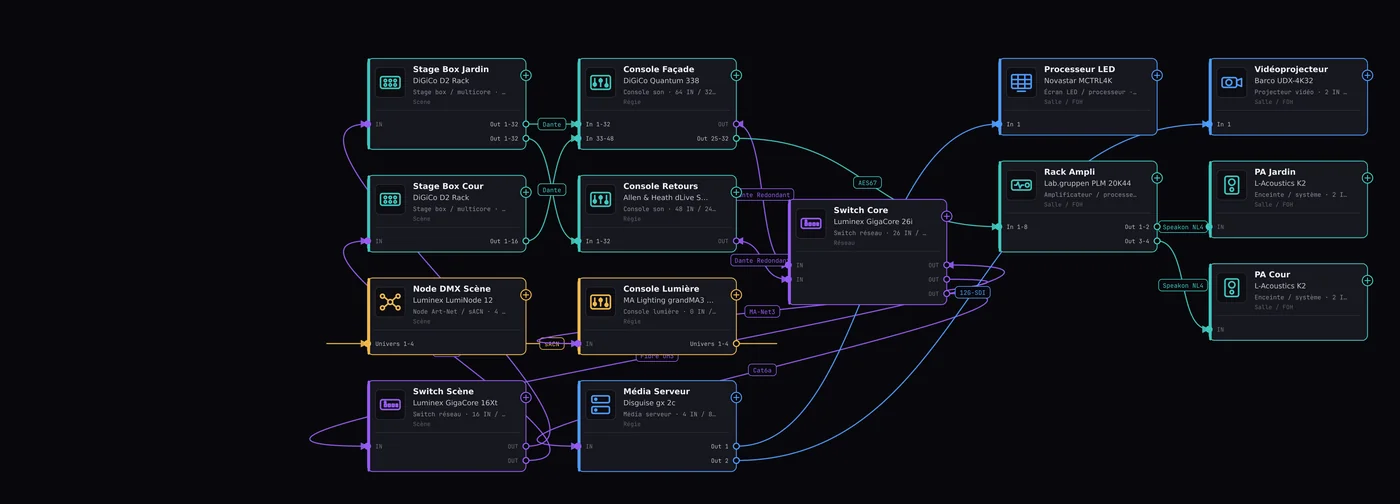
Screenshot of the cabling diagram produced with the tool: a complex festival control room with 14 pieces of equipment and 16 audio, lighting, video and network links
Working prototype SVG · Drag & Drop

Cabling Diagram Generator

Technical Documentation

A control-room cabling tool: free drag-and-drop placement of equipment on a canvas, links with port and signal direction (output → input), an equipment catalogue by category → type → model (Yamaha/DiGiCo/Allen & Heath consoles, Robe/Martin/Ayrton fixtures, Luminex/Netgear switches...), multiple links between the same pair of devices. Export to PNG, PDF and CSV.

Open the tool
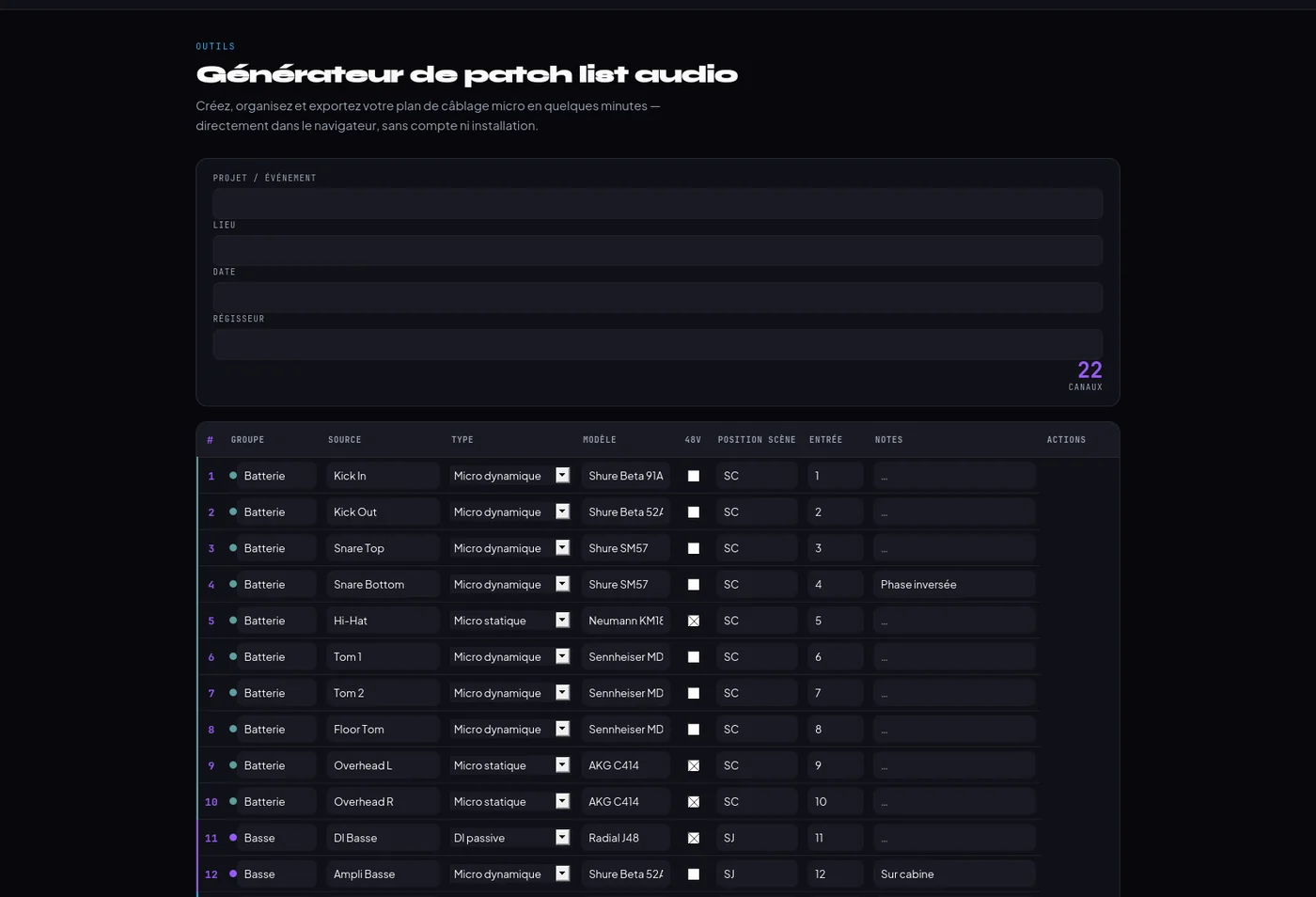
Screenshot of the audio patch list generator: 22 channels organised by instrument group (drums, bass, guitars, keys, vocals)
Working prototype CSV · PDF

Audio Patch List Generator

Audio Configuration

An audio patch list tool: channel table organised by instrument group (Kick in/out, Snare top/bottom, Overheads...), context-aware presets per group, CSV export and PDF printing.

Open the tool
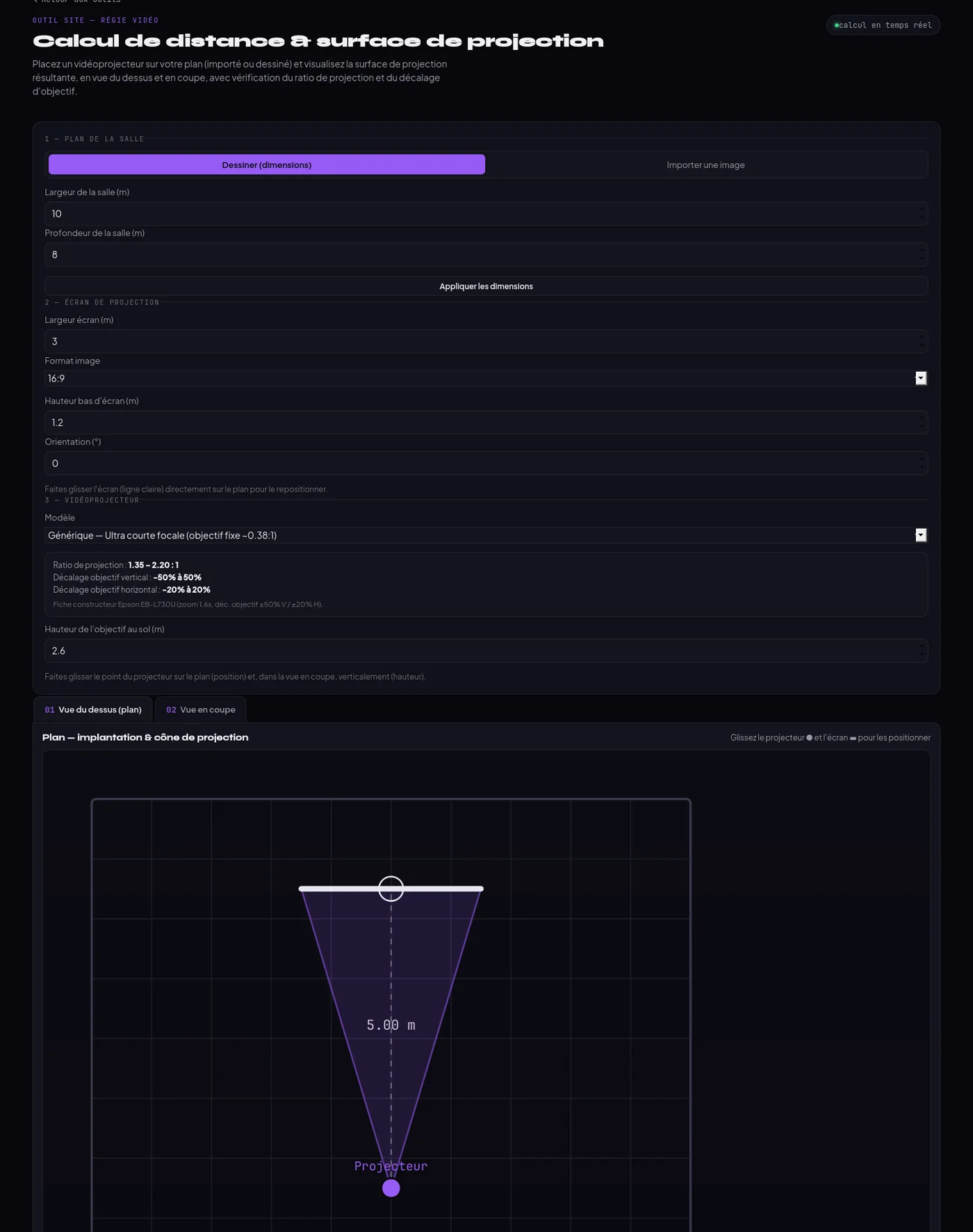
Video projector distance calculator: 10×8m room plan with a purple projection cone, projector and screen placement, throw ratio and lens shift results.
Working prototype 2D Plan · Section

Video Projector Throw Distance Calculator

Placement & Projection Optics

Places a video projector on a plan (imported or drawn to scale) with real-time calculation of the projection surface, required throw ratio and lens shift. Top-down and section views, with a built-in projector model database.

Open the tool
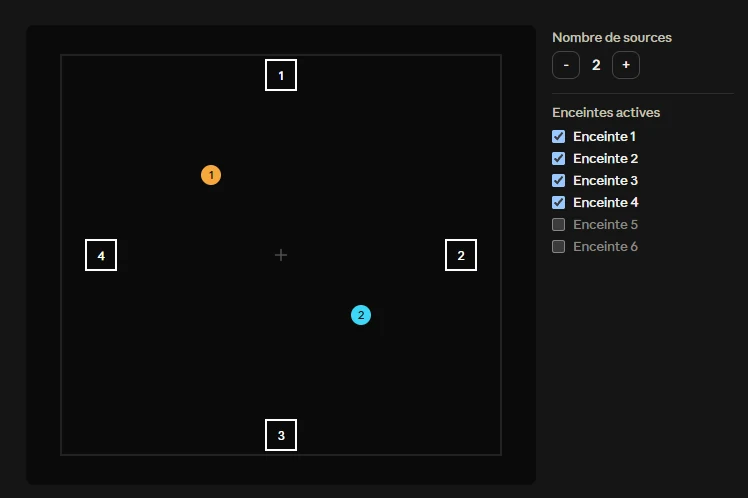
SpacePanner plugin interface: placing 2 audio sources and 4 active speakers on a 2D plane, with a source-count selector and active-speaker management.
Available for download VST3 · JUCE

SpacePanner

Audio Spatialisation Plugin

A VST3 plugin for audio spatialisation using VBAP (Vector Base Amplitude Panning): placing speakers and sources within a 2D space. Built in C++ with the JUCE framework.

Method:VBAP
Platforms:Windows / macOS
Download on GitHub
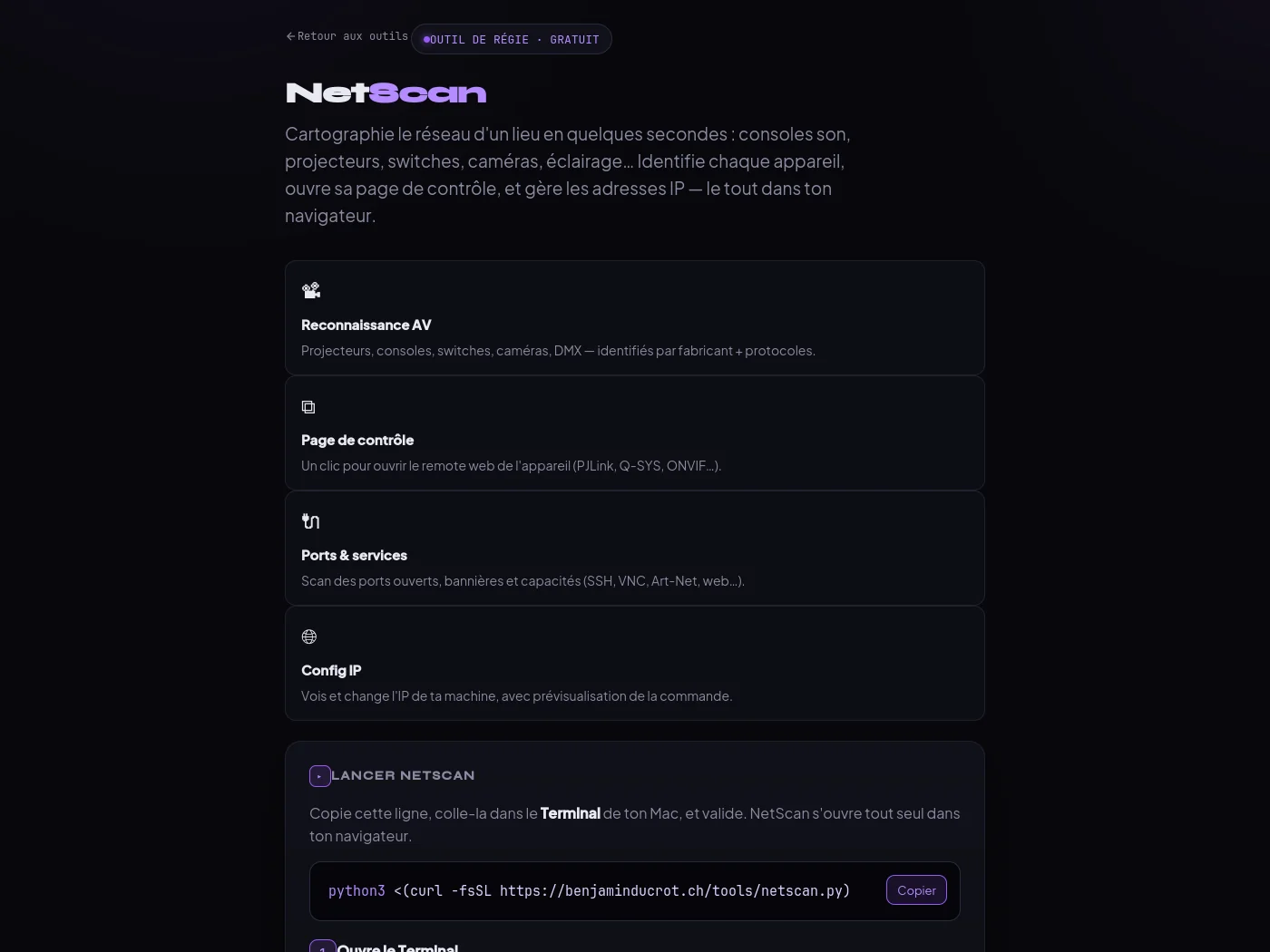
NetScan tool page: network mapping for technical operation, AV recognition, control page, port scan, IP configuration, with the Terminal command to copy.
Available — macOS Python 3 · Zero dependency

NetScan

AV Network Console

Maps a venue's network in seconds: sound consoles, projectors, switches, cameras, lighting. Identifies each device by manufacturer and protocol, opens its web control page (PJLink, Q-SYS, ONVIF...), scans ports and lets you change your machine's IP — all from the browser, nothing to install.

Launch :Terminal command (curl)
Platform :macOS (Python 3)
View the tool
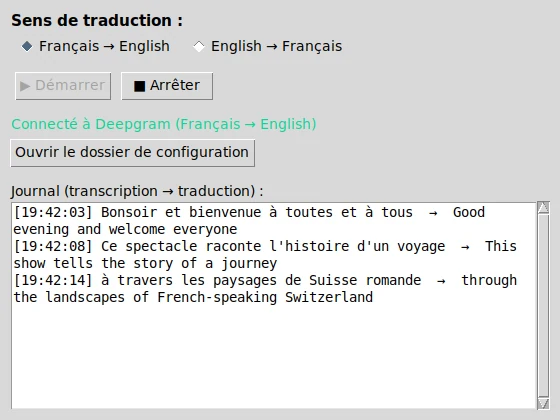
Live translator for QLab interface: translation direction toggle (French/English), Deepgram connection status, and a log showing the live transcript translated into English.
Working prototype Deepgram · DeepL · OSC

Live Translator for QLab

Automatic Show Surtitling

Captures a mic feed (sound card or console), transcribes and translates it live (French ↔ English) via Deepgram and DeepL, then sends the text to QLab over OSC for surtitle display. Translation direction can be switched live during the show.

Technical chain :STT + translation + OSC
Platform :macOS (with QLab)
View the code on GitHub

Missing a tool in your day-to-day work? Describe what you need, and we'll figure out together whether it's worth building.

Suggest an idea